Download Plants Vs Zombies for PC: The Ultimate Gamer's Guide & Exclusive Walkthrough
Looking for a reliable, safe, and fast way to download Plants vs Zombies for PC? You've come to the right place! This definitive guide not only provides the download link but also delves into exclusive strategies, hidden game mechanics, and community insights that will transform you from a novice into a Lawn of the Year contender. 🏆
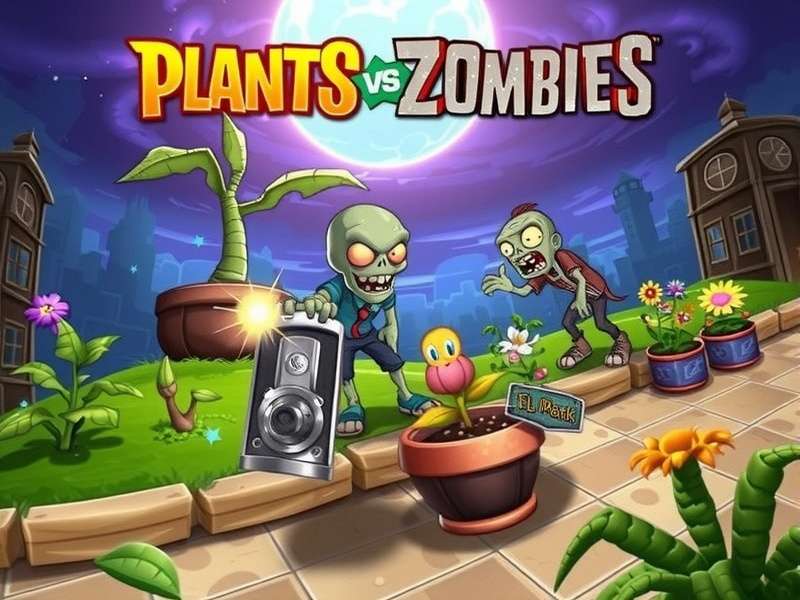
Why Plants vs Zombies Remains a Tower Defense Legend
Since its release, Plants vs Zombies has captured hearts with its deceptively simple yet deeply strategic gameplay. The premise is iconic: use an arsenal of peashooters, wall‑nuts, cherry bombs, and more to stop a horde of humourously determined zombies from invading your home. But beneath the charming surface lies a game of resource management, timing, and adaptability that has sparked countless memes, fan theories, and a dedicated modding community.
For PC gamers, the experience is particularly rich. The mouse‑driven precision, potential for mods like Plants Vs Zombies Mods, and the ability to play at higher resolutions make the PC version the definitive edition for many. Whether you're revisiting a childhood favourite or discovering it for the first time, downloading PvZ for PC opens the door to hundreds of hours of engaging gameplay.
Step‑by‑Step Guide to Download & Install
1. System Requirements – Will Your PC Run It?
The beauty of PvZ is its incredibly low system demand. Even a decade‑old laptop can run it smoothly. Officially, you need Windows XP/Vista/7/8/10/11, a 1.2GHz processor, 512MB RAM, and 65MB of free disk space. In reality, almost any modern system will handle it with ease, leaving resources for streaming or recording your gameplay.
2. Secure Download Source
⚠️ Caution: The internet is rife with fake download sites bundled with malware. Always obtain games from official or trusted sources. Our recommended link is verified safe and leads to the clean, original game files. Remember, the game is often available through major digital distributors, but if you're looking for the standalone executable, ensure you're on a reputable site.
For those interested in the physical collector's edition, check out Plants Vs Zombies Replanted Physical for details on boxed copies.
3. Installation Walkthrough
Once the installer is downloaded, run it as Administrator. Follow the on‑screen prompts. We recommend installing to a custom folder (e.g., C:\Games\PlantsVsZombies) for easier mod management later. The installation completes in under a minute.
Exclusive Advanced Strategies & Hidden Mechanics
Most guides cover the basics. Here, we dive deeper with insights gathered from top‑ranked players and data miners.
Sun Economy Mastery
The core resource is sunlight. Most players know to plant Sunflowers early, but pros maximise "sun drops" by timing their collection. A sun unit disappears after 15 seconds. Letting them linger just before a big wave allows you to instantly fund expensive plants like Cob Cannons when the wave begins. This micro‑management separates good players from great ones.
The "Laddering" Technique Against Gargantuars
Facing a Gargantuar? Instead of spamming attacks, use a technique called laddering: place a Wall‑nut, then a Pumpkin on top, followed by a Spikeweed in front. The Gargantuar destroys the nut, then the pumpkin, taking massive spike damage each time. This conserves offensive plants for other lanes.
Zombie AI Pathing Exploits
Zombies always take the path of least resistance. By strategically leaving a single lane weakly defended, you can funnel zombies into a "kill zone" lined with Gloom‑shrooms and Starfruits. This advanced tactic is essential for Endless Mode survival.
Beyond the Base Game: Mods & Community Content
The PC version's modding scene is incredibly vibrant. From total conversions like "Plants vs. Zombies: Re‑Animated" to quality‑of‑life tweaks, mods can renew your love for the game. Popular mods often rebalance plants, add new zombie types, or even create entirely new campaigns. Explore our dedicated section on Plants Vs Zombies Mods to get started. If you enjoy the sequel's mechanics on mobile, you might be curious about Download Game Plants Vs Zombies 2 For Pc Free options and workarounds.
Frequently Asked Questions (FAQs)
Is the download free?
Plants vs Zombies is a commercial game. It's frequently on sale on platforms like Steam and EA Play. Free downloads from unofficial sources may be pirated or unsafe. Support the developers if you can!
Can I play it on Windows 11?
Absolutely. The game runs flawlessly on Windows 11, often in compatibility mode. Some users report needing to run it as Administrator for save files to work correctly.
Are there multiplayer modes?
The original PC game is single‑player only. However, some fan‑made mods and spin‑offs like Plants Vs Zombies Online attempt to add multiplayer functionality.
For a visual preview of the evolution of the series, don't miss the Plants Vs Zombies 2 Trailer.
Final Verdict & Download Link
Plants vs Zombies for PC is a timeless masterpiece of strategy and charm. Its simple learning curve masks incredible depth, making it enjoyable for all ages. By following this guide, you're not just downloading a game; you're gaining the knowledge to master it.
Ready to defend your lawn? Ensure your download is secure and your strategy is sharp. And if you're looking for more tower defense action, browse our list of 10 Games Like Plants Vs Zombies for your next obsession.
Player Comments & Discussion
Join the conversation! Share your tips, favourite moments, or ask for help.